
Tips for Creating a Comfortable and Productive Home Office Space

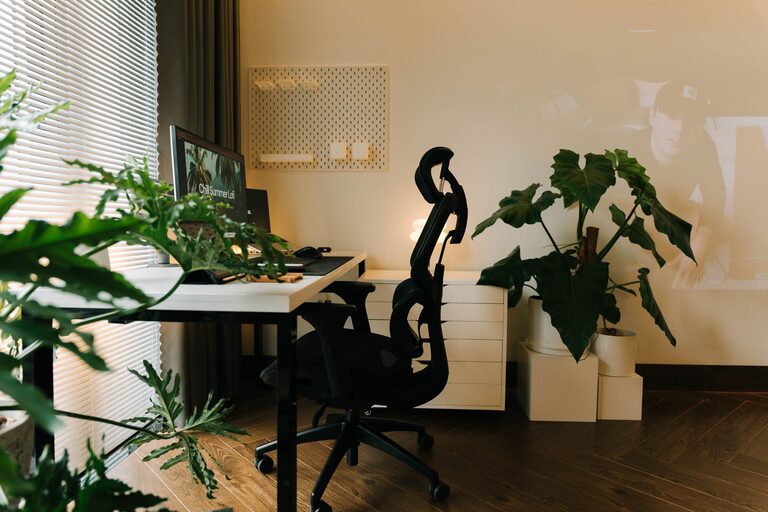
Creating a comfortable and productive home office space is essential for anyone working remotely or managing tasks from home. A well-designed workspace can boost focus, reduce stress, and contribute to your overall well-being. Here are practical tips to help you create an effective home office that suits your needs.
Choose the Right Location
Consider Natural Light
Natural light is one of the best elements for any workspace. Try to position your desk near a window to take advantage of daylight. Natural light not only helps you stay alert but also improves your mood.
Minimize Distractions
Pick a quiet corner or a separate room where you can work without interruptions. If a separate room isn’t an option, try to create a dedicated zone with room dividers or noise-canceling headphones to limit distractions.
Invest in Ergonomic Furniture
Select a Comfortable Chair
An ergonomic chair supports your back, encourages good posture, and reduces the risk of discomfort during long work hours. Look for chairs with adjustable height, lumbar support, and armrests.
Choose the Right Desk
Your desk should be spacious enough for your computer, writing materials, and any additional tools you need. Consider desks with adjustable heights so you have the option to alternate between sitting and standing.
Optimize Lighting
Use Task Lighting
Supplement natural light with a quality desk lamp. LED lamps with adjustable brightness levels help reduce eye strain, especially if you work late or in darker spaces.
Avoid Glare
Position screens and lighting to avoid glare on your computer monitor. This improves comfort and reduces eye fatigue.
Organize Your Workspace
Declutter Regularly
Keep your desk tidy by organizing cables, papers, and supplies. Use organizers, trays, or drawers to keep everything in its place and maintain a clean surface.
Use Storage Solutions
Install shelves, file cabinets, or boxes to store documents, books, and equipment. Efficient storage keeps your workspace neat and helps you locate items quickly.
Personalize Your Space
Add Inspiring Elements
Include plants, artwork, or photos that make your office inviting. Personal touches can increase motivation and create a pleasant environment.
Choose a Calming Color Palette
Colors affect mood and concentration. Soft blues, greens, or neutral tones create a calming atmosphere conducive to focus.
Manage Technology Effectively
Set Up Reliable Equipment
Use a desktop or laptop with sufficient processing power for your tasks. Invest in a quality keyboard, mouse, and headset to enhance comfort.
Ensure Strong Internet Connection
A stable internet connection is crucial for video meetings, cloud-based work, and online communication. Position your router nearby or use a wired connection if possible.
Establish a Routine
Define Work Hours
Set clear start and finish times to maintain balance between work and personal life. Communicating your schedule to family or housemates helps reduce interruptions.
Schedule Breaks
Take short breaks every hour to stretch and rest your eyes. This practice boosts productivity and prevents burnout.
Keep Comfort Essentials Handy
Stay Hydrated and Nourished
Keep a water bottle and healthy snacks within reach to maintain energy levels throughout the day.
Control the Temperature
Use a fan, heater, or thermostat to keep your workspace at a comfortable temperature year-round.
—
Creating a comfortable and productive home office takes some planning, but the benefits are worth it. With thoughtful furniture choices, good lighting, effective organization, and personal touches, you can design a space where working from home feels both enjoyable and efficient. Start small, make adjustments as needed, and tailor your environment to support your best work every day.